How to make a product video with Claude or ChatGPT
Connect Imaginou over MCP, inspect its capabilities, plan a product film and review the storyboard before video generation.
Silent 32-second overview using an actual read-only connector conversation and existing studio examples.
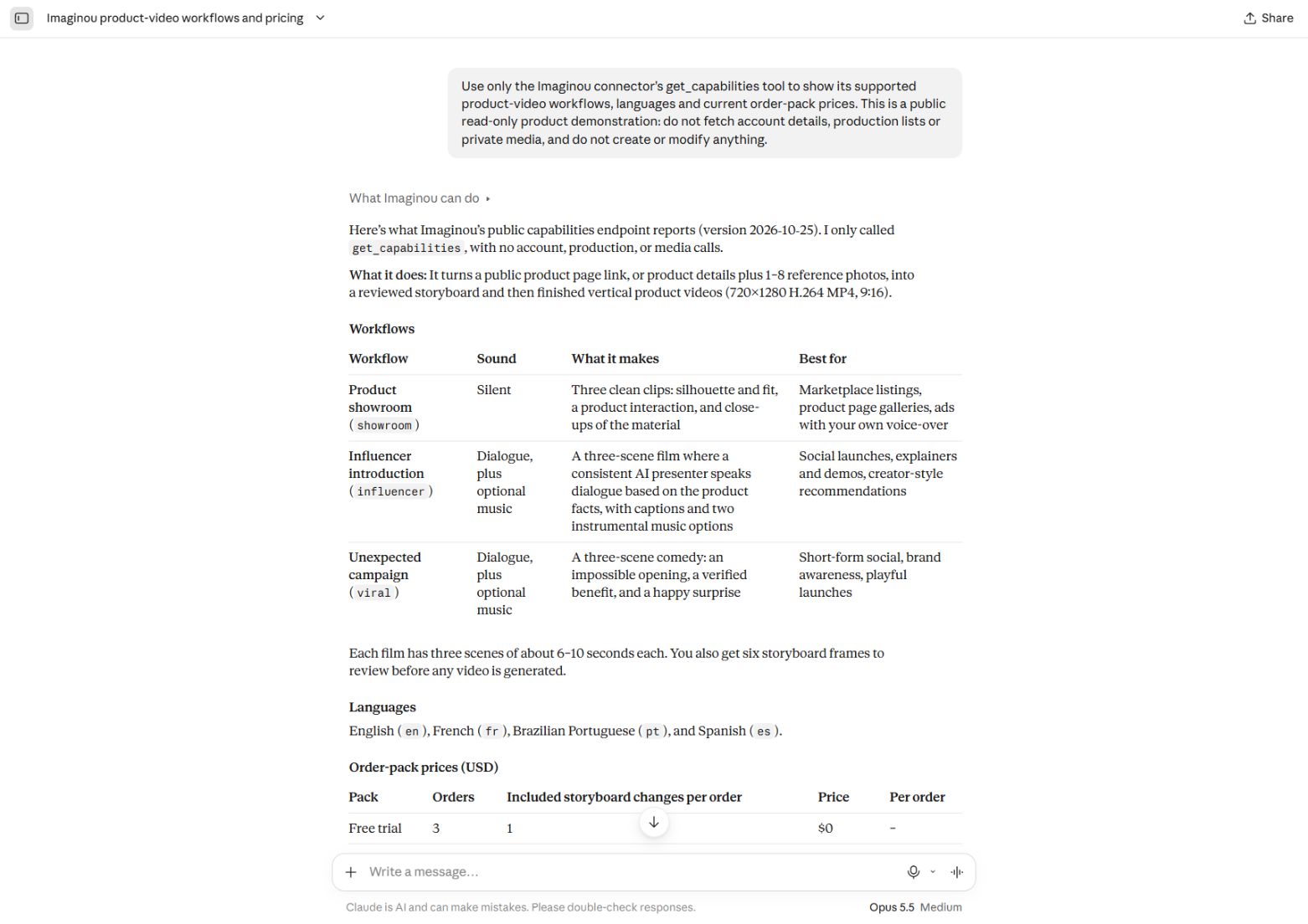
Connect the studio
Create or sign in to your Imaginou account at app.imaginou.com. In an assistant that supports custom remote MCP connections and OAuth, add https://app.imaginou.com/mcp. Sign in through Imaginou and inspect the requested permissions before approving. In Claude, use the custom connector flow; Imaginou is not approved in the Claude public directory. In ChatGPT, custom connection availability depends on your account and workspace settings. The endpoint is the same; consult your assistant’s current setup instructions.
Ask a read-only question first
Try: ‘What workflows, languages and prices does Imaginou support?’ The actual demonstration above requested only get_capabilities and returned the three workflows, four languages and current order packs. This confirms that the assistant can talk to the studio before you create anything. Avoid including private customer data in a public demonstration.
Bring factual product information
Provide a public product URL, or your own product photos plus a product name and factual description. Specify the audience, direction, language and details the film must preserve. If an import is blocked, use manual details. Example prompt: ‘Plan a silent showroom film using these product photos. Keep the product’s shape, colors and branding. Show me the storyboard before generating video.’ This is an example prompt, not a claim that the screenshot shows this production.
Authorize creation and inspect the storyboard
Creating a production consumes one order credit. Once you have decided to proceed, authorize that creation. When the storyboard is ready, ask to view the first and last images of every scene and read any dialogue, captions and quality findings. Compare the product with the source photos. Request specific corrections if needed; extra changes beyond the included allowance require confirmation to spend another credit.
Approve generation, then review playback
Explicitly approve the current storyboard before video generation. Jobs can queue, and generation requires the production studio to be online. When the videos are ready, play the exports yourself, check product fidelity, dialogue, motion and claims, and choose music where offered. Mark the production complete only after that review. Download your MP4 files; create a public link only when you want to share the chosen film.
Limits and troubleshooting
Imaginou’s output is AI-generated and can contain altered details or artifacts. The connector uses account-scoped OAuth access; revoke it in Connect AI when no longer needed. A checkout link opens user-completed Stripe checkout and does not charge a card by itself. See the developer documentation for the exact tools, transport and authentication details.